Running Tests
Running Methods
Softfactory supports two ways to run test cases: Local Execution and Remote Execution.
Local Run
You can run the test cases locally by clicking the run icon in the upper right corner:

Remote Run
Softfactory provides Case Execution Machines in the cloud to execute cases. Cloud-based automated testing can be performed at any time without manual intervention during the execution process.
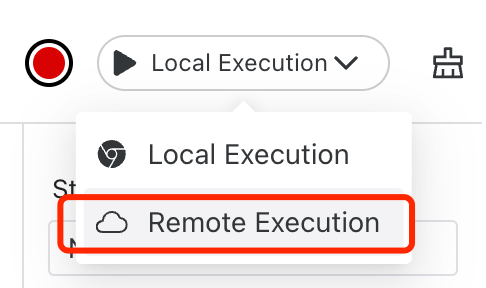
In the area shown in the following figure, click the drop-down menu, select Remote Run, and then click Run to remotely run the test cases in the cloud.
Batch Remote Run
You can batch run cases in the cloud by running Concurrent Tasks. For example, click the Tasks menu on the left menu, and click Create Task in the task list:

In the pop-up dialog box, enter the task name and the group to be run:
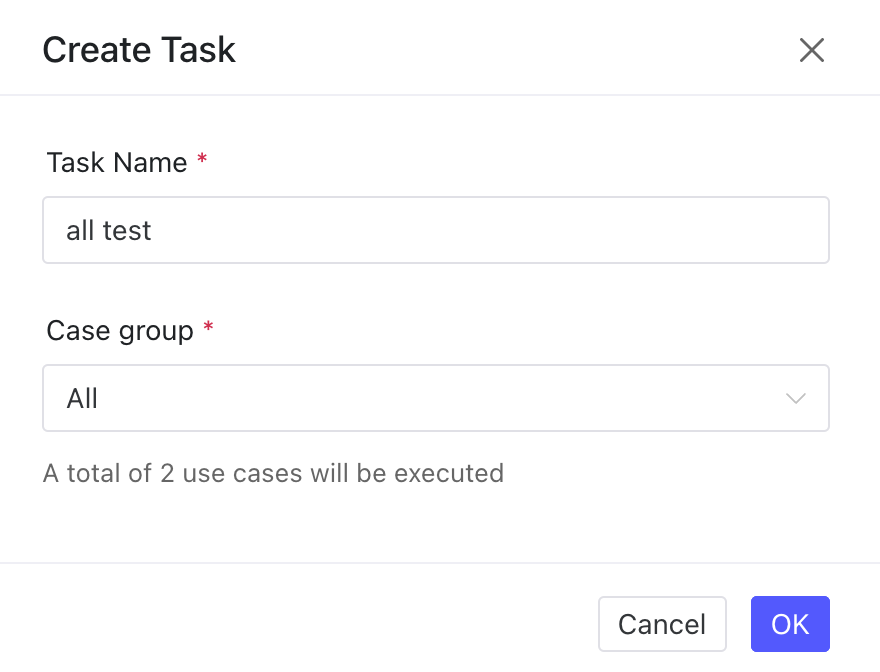
Click the OK button to create a batch cloud running task.
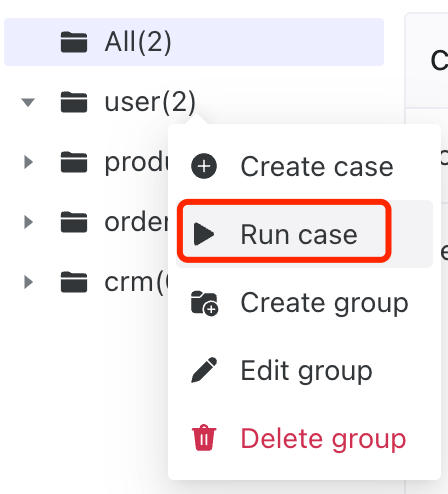
You can also directly run all the cases under a group by right-clicking on the group and selecting Run Cases.
The limitations of batch cloud tasks are related to the version you purchased. For details, please refer to Concurrency and Run Counts.